In this guide
- Start with the event you are trying to locate
- Use five clocks instead of one
- Read the official columns literally
- Worked example: an October question about September work
- Distinguish a deadline from a personal reminder
- Watch the boundary between calendar years
- Plan for an exception without promising one
- Keep a reusable calendar note
- Sources and evidence limits
Start with the event you are trying to locate
A search for Utah CIS payroll often starts with a simple question: when will work appear in a payment? The useful starting point is the work or employment event, not the login page. Write down the dates involved, the position, and whether you are asking about regular earnings, a newly approved change, or a correction. Those are different investigations even when they eventually lead to the same statement. A calendar can locate an event in a process; it cannot prove that a particular person's record entered that process successfully.
Use five clocks instead of one
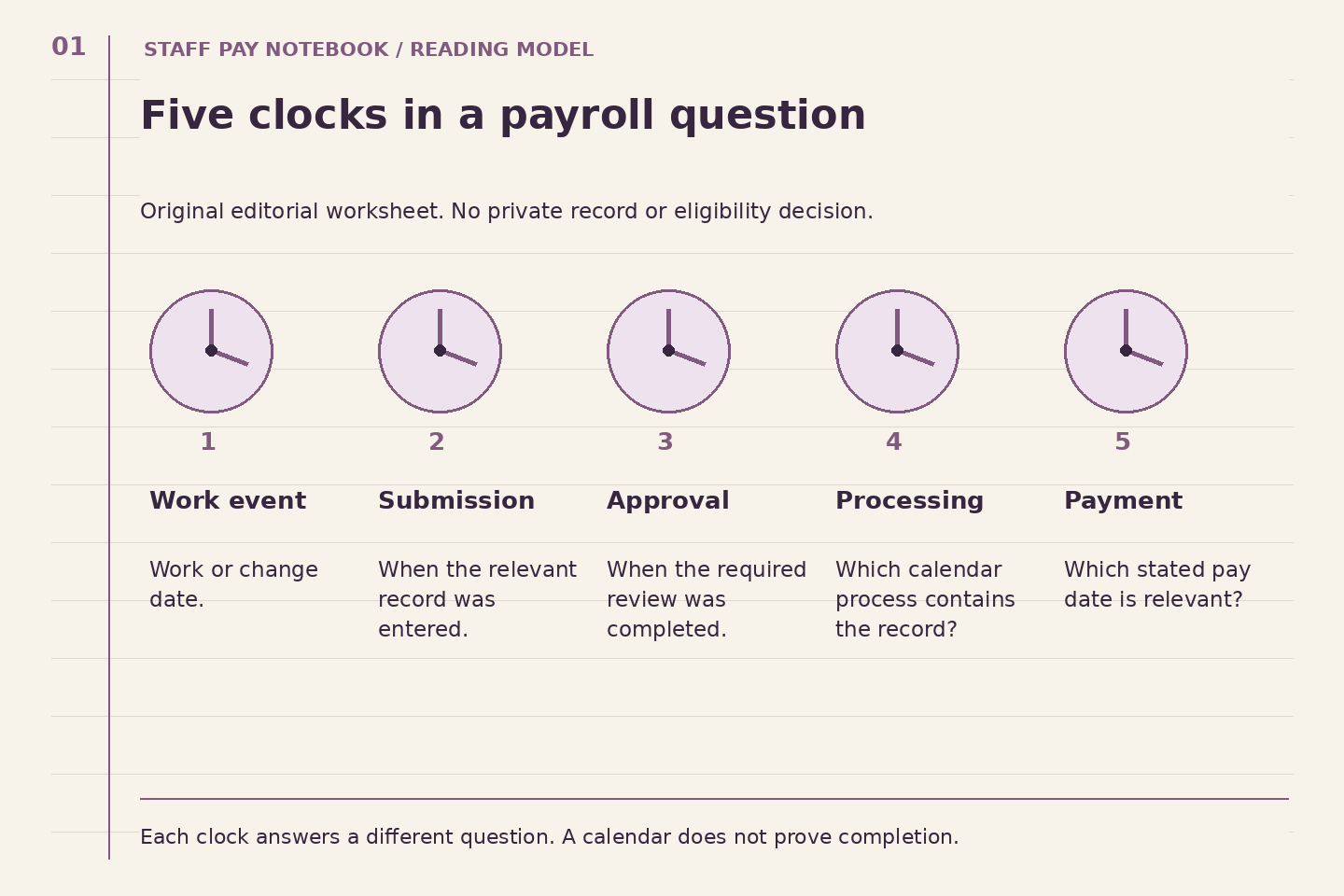
This guide's five-clock model is an editorial planning tool: work performed, record completed, approval obtained, payroll processed, payment scheduled. Put one date beside each clock and use a question mark when the date is unknown. The sequence makes hidden assumptions visible. For example, a supervisor's discussion of a change belongs beside the approval question until the responsible office confirms what was actually approved. It should not be copied straight into the payment box. An empty box is useful evidence that a follow-up question is still needed.
Read the official columns literally
The University's 2026 Payroll Process Calendar separates pay-period end, payroll start, MyTime department approval, payroll completion, general-ledger posting, and pay date. In its September 30 row, department approval is October 1, completion October 2, ledger posting October 5, and pay date October 7. These are published process dates, not promises about an individual record. The separate Payroll Schedule and Deadlines page also links hourly-pay and ePAF calendars. Select the calendar matching your question rather than treating every university date sheet as interchangeable.
Worked example: an October question about September work
Consider a hypothetical employee reviewing work performed late in September. Their note says, "September work; October payment?" That note is too broad to investigate. They replace it with three entries: the actual work dates, the pay-period end attached to the record, and the published pay date for that calendar row. They then ask their department whether the relevant time or job action was included. The calendar gives the question a precise target without leading them to assert that processing has finished or that a bank has received funds.
Suppose the department confirms the record needed a correction. The employee now has a second timeline: the original work period and the correction's processing path. They keep both. Replacing the original dates with the correction date would hide what is being corrected. The useful next question becomes, "Which payment should I review for this correction, and what reference will identify it?" That is more actionable than repeatedly asking whether payroll is late. This is an illustrative research method, not a report of an actual employee case.
Distinguish a deadline from a personal reminder
A published administrative deadline tells a responsible office when a step is due. Your own reminder should create time to collect missing information before that point. Label reminders by task: review dates, ask about an unconfirmed entry, or check the resulting statement. Avoid a vague reminder named payroll, because it does not say what you can do. Also record the department's instructions separately from the public calendar. A department may need earlier preparation to meet an institutional deadline; ask rather than inventing that earlier cutoff yourself.
Watch the boundary between calendar years
A year label can identify the process calendar, a fiscal-year hours sheet, or the period in which work occurred. Those labels need not answer the same question. When an event is close to year-end, write the complete date including the year in every box. Do not infer tax treatment from the date on a timecard or from a general explanation on an old webpage. Bring questions about year-end reporting to the appropriate university office. The reader's job here is to assemble the dates accurately, not resolve a personal tax outcome.
Plan for an exception without promising one
A late record or disputed amount does not automatically establish a special-payment route. The official schedule page describes a controlled special-check process involving payroll reporters and Payroll. Treat that as a reason to ask the department which procedure applies, not an instruction to demand an immediate check. Record the response, expected next review point, and the document you should inspect. If no timing is confirmed, preserve that uncertainty. An unconfirmed correction date should not become a firm date in a personal plan simply because a regular payday is nearby.
Keep a reusable calendar note
A good final note fits on one screen: event, position, work dates, relevant calendar row, unresolved step, responsible office, and confirmed next checkpoint. Link the live official calendar so a later reader can check for revisions. Mark this guide's source check as October 1, 2026; that is an editorial review date, not the calendar's publication date or a guarantee that later schedules are unchanged. Once the expected statement is available, compare it with the original question and close the note only when the relevant fact is established.
Try the Five-Clocks Reading Lab to prepare a bounded question.
Continue reading: Employment Categories: Build a Position Profile Before Comparing Benefits, Why a Workweek and a Pay Period Need Separate Lines, Build a Job-Posting Evidence Sheet Before You Apply.